
Email automation software sends pre-written emails when something happens, such as a signup, a purchase, a date or a click, so a sequence runs without you pressing send. Nearly every tool can do that core job. The real difference is how you pay. Hosted platforms charge by the number of contacts you store, so the bill climbs as your list grows. Self-hosted software charges once, and you pay a sending service a few cents per thousand emails.
TL;DR:
- Most email automation tools handle triggers, delays and branching well. Pricing model, not features, is what separates them.
- Hosted platforms bill per stored contact. Self-hosted software bills once, and sending costs about $0.10 per 1,000 emails through Amazon SES.
- Gmail can schedule and template emails, but sending caps of around 500 to 2,000 a day and no unsubscribe handling make it unfit for marketing.
- Google requires bulk senders to authenticate with SPF, DKIM and DMARC, offer one-click unsubscribe and keep spam complaints under 0.3%.
- AI helps with drafting and subject lines. The automation itself should stay rule-based so you can predict exactly who gets what.
Table of Contents
- What Email Automation Software Actually Does, and the Four Parts You Pay For
- The "Top 10 Email Automation Tools" Lists, Sorted Into Kinds You Can Actually Choose Between
- What You'll Really Pay: Per-Contact Pricing Versus Paying Per Email
- How to Automate Your Emails in Five Steps, Starting With Authentication
- Six Email Automation Examples Worth Building First
- Can You Automate Emails in Gmail? Yes, Up to a Hard Ceiling
- Can AI Automate Your Emails? Where It Helps and Where It Shouldn't Drive
- Free, Small Business or Agency: Which Option We'd Pick
- Run Unlimited Automations Without a Bill That Grows With Your List
- Frequently Asked Questions
- Sources
What Email Automation Software Actually Does, and the Four Parts You Pay For
Every email automation tool, from the cheapest free plan to an enterprise suite, is built from four parts. Once you see them, comparison pages get much easier to read.
- Triggers. Something starts the sequence: a form signup, a tag being added, a date such as a birthday or renewal, or a link click in an earlier email.
- Logic. Waits, conditions and branches decide what happens next. "Wait three days. If they opened email one, send email two. If not, resend with a new subject line."
- Sending. The emails have to leave a server with a good reputation. Some tools bundle this. Others make you connect a sending provider such as Amazon SES, Postmark or Mailgun.
- Compliance plumbing. This covers unsubscribe links, bounce handling, complaint processing and double opt-in. It is the dull part, and it is the part that keeps your domain out of spam folders.
Most tools score well on the first two parts. The differences show up in sending and pricing, and in whether the compliance plumbing works without you thinking about it.
The "Top 10 Email Automation Tools" Lists, Sorted Into Kinds You Can Actually Choose Between
Search for the top 10 email automation tools and you will find the same hosted platforms rotated across every list, each reviewed on template counts and editor polish. That is the wrong axis. A more useful answer is that the ten names fall into four kinds of software, and your list size and technical comfort decide which kind fits. Pick the kind first, then the brand.
| Kind of tool | How you pay | Who runs the infrastructure | Best for | The catch |
|---|---|---|---|---|
| Hosted email marketing platform | Monthly, tiered by contacts stored | The vendor | Small lists, no technical staff | Bill rises with every subscriber, often per brand |
| Sending API / transactional service | Per email sent | The vendor | Developers wiring email into an app | No campaign builder or visual automations |
| Self-hosted email marketing software | Once for the licence, plus per-email sending and a small server | You | Growing lists, agencies, multiple brands | You maintain a server and your own backups |
| Inbox outreach tools | Per seat, monthly | The vendor, sending from your mailbox | One-to-one sales prospecting | Not built for newsletters or opt-in lists |
If you run a newsletter or customer list, the realistic shortlist is row one versus row three. Inbox outreach tools solve a different problem. Sending APIs are what row three plugs into, not a replacement for it. For a fuller feature-by-feature walk-through, see our guide to choosing an email marketing tool that fits your list and budget.
What You'll Really Pay: Per-Contact Pricing Versus Paying Per Email

Hosted platforms charge for the size of your list whether you email it or not. A dormant 30,000-contact list costs the same as an active one. Adding a second brand often means a second account and a second bill.
Self-hosted software splits the cost differently. Take a business with 25,000 subscribers, one newsletter a week, and about 20,000 automated emails a month for welcome and re-engagement flows. That is roughly 120,000 emails a month.
- Sending. Amazon SES pricing is $0.10 per 1,000 emails à la carte, and new accounts start at $0.16. That puts this volume at about $12 to $19 a month.
- Server. A small virtual server runs about €5 to €15 a month.
- Licence. This is a one-off fee rather than a subscription.
At $0.10 per 1,000 emails, mailing 25,000 people every week costs about $12 a month to send through Amazon SES.
The trade-off is real. You are now responsible for the server, for keeping the software updated and for backing up your data. If nobody on your team is comfortable with that, the hosted premium buys you something. Once your list passes a few thousand contacts, though, that premium usually exceeds what a freelancer would charge to look after the server for you.
How to Automate Your Emails in Five Steps, Starting With Authentication
Most guides start with "pick a template". Start with deliverability instead, because an automation that lands in spam is worse than none at all.
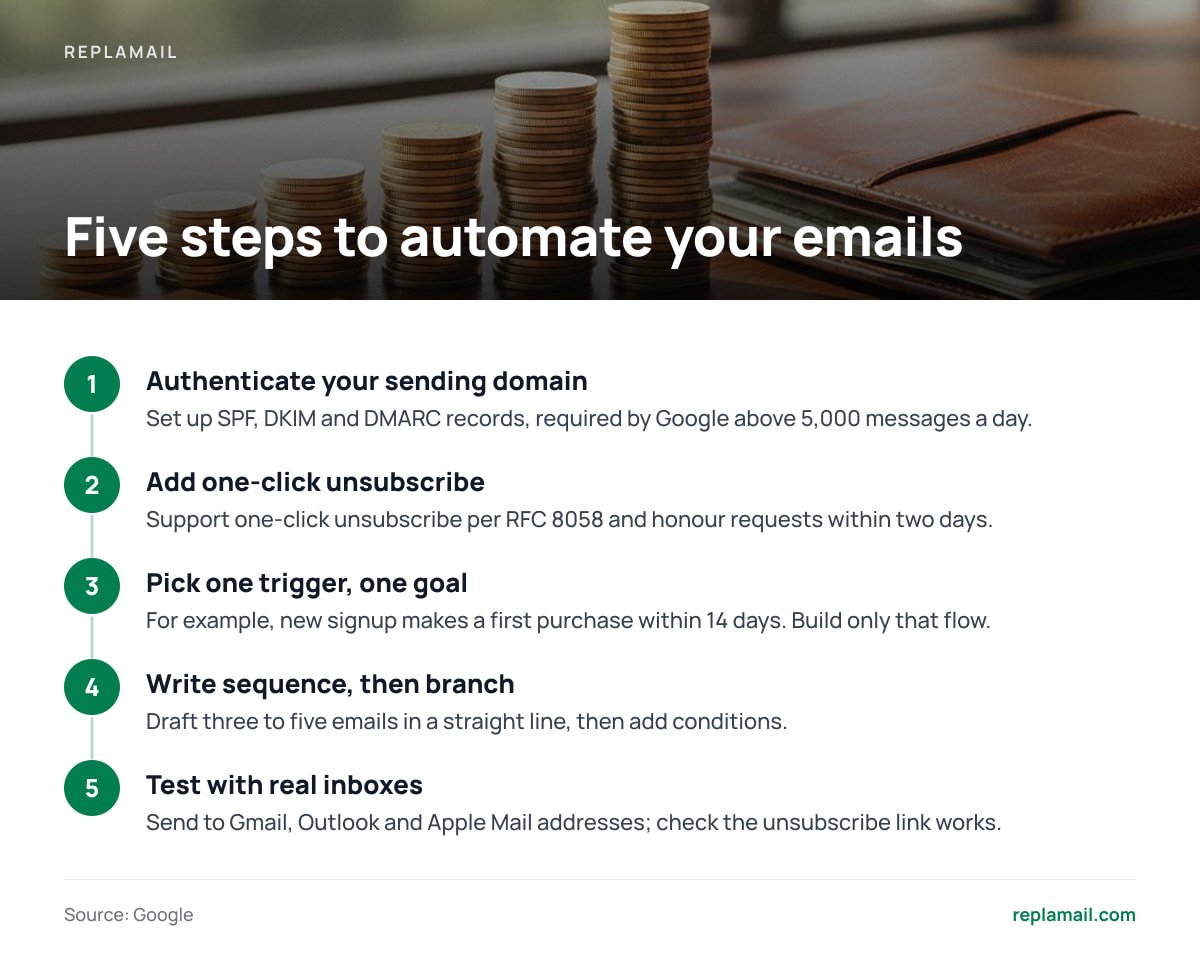
- Authenticate your sending domain. Set up SPF, DKIM and DMARC records. Google's email sender guidelines require all three from anyone sending more than 5,000 messages a day to Gmail addresses.
- Add one-click unsubscribe. Google also requires bulk marketing mail to support one-click unsubscribe using the mechanism defined in RFC 8058, and to honour requests within two days.
- Pick one trigger and one goal. For example: "New signup should make a first purchase within 14 days." Build only that flow first.
- Write the sequence, then add branches. Draft three to five emails in a straight line. Only then add conditions such as "skip email three if they already bought".
- Test with real inboxes. Send to Gmail, Outlook and Apple Mail addresses you control, and check the unsubscribe link actually works.
0.3%. That is the spam-complaint rate Google tells bulk senders never to reach, and it applies to your automations as much as your newsletters.
Pro Tip: Send marketing and automation mail from a subdomain such as news.yourbrand.com, not your root domain. Reputation is tracked per domain. A bad campaign then dents the subdomain while invoices and password resets from your main domain keep reaching inboxes.
Six Email Automation Examples Worth Building First

These flows earn their keep for most small businesses. The first two alone justify the setup time.
- Welcome series. Three to four emails over the first week after signup, while attention is highest. Deliver what you promised, introduce what you sell, then ask for one action.
- Lead magnet delivery. Someone fills in a form for a guide or discount code, and the automation sends it instantly and tags them by interest.
- Re-engagement. Contacts who haven't opened anything in 90 days get two or three "still interested?" emails, and non-responders are suppressed. This protects your complaint rate.
- Post-purchase follow-up. Send a thank-you, then usage tips, then a review request a fortnight later. It needs a purchase event fed in via form, tag or API.
- Date-based reminders. Renewals, anniversaries and appointment reminders driven by a date field on the contact.
- Abandoned cart. It is valuable, but it needs a live connection to your shop. Check that your tool integrates with your store platform before assuming it can do this.
For a broader view of how email automations fit alongside lead scoring and CRM workflows, read our breakdown of marketing automation software and the real buying decision.
Can You Automate Emails in Gmail? Yes, Up to a Hard Ceiling
Gmail can automate a surprising amount for one person. You can schedule emails to send later, save templates, set filters that auto-reply, and use mail merge features in paid Google Workspace plans. For follow-ups to a handful of clients, that is enough.
It breaks as a marketing tool for three reasons:
- Sending caps. A personal Gmail account allows roughly 500 recipients a day. A Google Workspace user is capped at 2,000 messages a day under the Gmail sending limits for Workspace. Exceed them and your account is temporarily blocked from sending.
- No subscriber management. There is no automatic unsubscribe processing, no bounce suppression and no complaint handling.
- Legal exposure. The FTC's CAN-SPAM compliance guide requires commercial email to include a valid postal address and an opt-out you honour within 10 business days. The FTC also notes there is no exception for business-to-business email. Tracking that by hand in a personal inbox is how businesses get it wrong.
Our position: use Gmail automation for one-to-one correspondence and nothing else. If you are emailing a list, use a tool built for lists.
Can AI Automate Your Emails? Where It Helps and Where It Shouldn't Drive
AI can draft emails, suggest subject lines, rewrite copy for tone and summarise which past campaigns performed best. For a small team, those uses save real hours, and you can use any general-purpose AI assistant for them alongside whatever email tool you choose.
Where we would hold back is handing the automation logic itself to AI. A rule such as "send email two three days after signup unless they purchased" is predictable and auditable. You can explain to a customer, or a regulator, exactly why they received a message. A system that decides on its own who gets what, and when, makes that much harder. It also makes it harder to spot when something is quietly emailing the wrong segment.
Treat AI as a copywriter, not a dispatcher. Write the rules yourself and let AI help fill in the words.
Free, Small Business or Agency: Which Option We'd Pick

Free email automation software exists, but free plans typically cap contacts and monthly sends, add vendor branding to your emails, and keep multi-step automations for paid tiers. That makes them fine for testing an idea. They are a poor home for a list you plan to grow, because migrating later means re-confirming consent, rebuilding flows and warming up a new sending reputation.
Here is what we would choose, plainly:
- Under about 1,000 contacts, no technical help. Use a hosted platform's entry plan. The convenience is worth the modest fee at this size.
- A growing small business past a few thousand contacts. Go self-hosted. This is where per-contact pricing starts costing more each year than a one-time licence plus sending.
- An agency running several brands. Go self-hosted without question. Paying per brand, per list, per contact is the most expensive way to run client email that exists.
- Anyone needing SMS, social posting and CRM in one place. Pay for a hosted all-in-one suite and accept the bill. An email-only tool won't cover it.
Run Unlimited Automations Without a Bill That Grows With Your List
ReplaMail is self-hosted email marketing software you buy once: $299 for one company, or $899 for the Agency licence. That covers unlimited brands, contacts and sends from a single install. You get a drag-and-drop designer, branching automations, signup forms, landing pages, double opt-in, team roles, and automatic bounce and complaint handling. It sends through your own Amazon SES, SMTP2GO, Resend, SendGrid, Mailgun, Postmark or SMTP account, so the 120,000-email month described above costs what your provider charges and nothing more. Updates are included for 12 months, then optional at $49 a year.
The honest limits: you need a small server (about €5 to €15 a month), and you handle your own backups. ReplaMail has no SMS, A/B testing, RSS-to-email, CRM or Shopify and WooCommerce integration, so store-driven abandoned-cart flows are out. If those matter to you, check the feature list before buying.
Frequently Asked Questions
What is the best email automation software for a small business?
For lists under about 1,000 contacts with no technical help, a hosted platform's entry plan is the simplest choice. Once you pass a few thousand contacts, self-hosted software usually costs less because you pay once rather than per contact. Decide based on list size and who will maintain the setup, not template counts.
Is there free email automation software?
Yes, many platforms offer free plans, but they typically cap contacts and sends, add vendor branding and reserve multi-step automations for paid tiers. They suit testing an idea rather than building a long-term list. Moving off a free plan later means rebuilding flows and warming up a new sending reputation.
How much does it cost to send emails through Amazon SES?
Amazon SES charges $0.10 per 1,000 emails on its à la carte pricing, with new accounts starting at $0.16 per 1,000. Sending 120,000 emails a month therefore costs roughly $12 to $19. Check the current Amazon SES pricing page before budgeting, as rates can change.
Can I automate marketing emails from Gmail?
Gmail can schedule emails and use templates, but it is unsuitable for marketing lists. Personal accounts are limited to roughly 500 recipients a day and Google Workspace users to 2,000 messages a day. Gmail also has no automatic unsubscribe, bounce or complaint handling.
What do I need to set up before running email automations?
Authenticate your sending domain with SPF, DKIM and DMARC, and make sure your emails support one-click unsubscribe. Google requires all of these from senders mailing more than 5,000 Gmail addresses a day. Sending from a subdomain also protects your main domain's reputation.
Sources
- Email sender guidelines | Google
- Gmail sending limits in Google Workspace | Google
- Schedule emails to send later in Gmail | Google
- Amazon SES pricing | Amazon Web Services
- CAN-SPAM Act: A Compliance Guide for Business | US Federal Trade Commission
- RFC 8058: Signaling One-Click Functionality for List Email Headers | IETF