
A marketing automation workflow is a set of rules that sends a contact the right email when they do something, such as sign up, buy or go quiet, without you pressing send. Most guides judge a workflow by its trigger. The workflows that annoy customers usually fail at the other end, because nobody decided what makes a contact stop receiving emails. Write the exit condition first, then the emails.
TL;DR:
- Every workflow has the same five parts: trigger, entry filter, actions, waits, and an exit goal. The exit is the one people skip.
- Start with a welcome series and a re-engagement flow before anything clever. Between them they cover new contacts and dead weight.
- Sending is cheap. 87,000 emails a month costs under $9 on Amazon SES at $0.10 per 1,000, so the real cost of automation is usually the per-contact price of your platform.
- Google's bulk-sender rules require one-click unsubscribe, SPF/DKIM/DMARC and a spam rate below 0.3%. A badly built workflow is the fastest way to breach them.
- No CRM is objectively "best". If nobody on your team calls leads, a well-tagged email list can run your workflows without one.
Table of Contents
- What Marketing Automation Is, and What a Workflow Adds to It
- How a Marketing Automation Workflow Works: The Five Steps Every One Shares
- Seven Marketing Automation Workflow Examples, in the Order You Should Build Them
- What Each Workflow Actually Costs to Run: The Send Arithmetic
- Where Workflows Go Wrong, and Why More Workflows Make Results Worse
- The Compliance Rules Every Workflow Must Obey
- The Top 5 Automation Tools and the "Best CRM" Question, Answered Honestly
- Run Every Workflow You Need Without a Per-Contact Bill
- Frequently Asked Questions
- Sources
What Marketing Automation Is, and What a Workflow Adds to It
Marketing automation is software that sends marketing messages based on rules instead of manual decisions. You define the conditions once, such as "new subscriber" or "hasn't clicked in 90 days", and the system acts on every contact who meets them, at any hour, for as long as the rule is live.
A workflow is one of those rules, written out as a sequence. A single automated email ("send a receipt when someone buys") is automation. A workflow is what you get when you chain several steps with waits and branches: send email one, wait two days, check whether they clicked, then send email two or a different email three. If you want the cost side of that distinction, we break it down in email marketing vs marketing automation.
Most small businesses need fewer workflows than they think. Three well-built workflows that cover joining, buying and drifting away will outperform fifteen half-finished ones. Each extra workflow adds another way for one contact to receive four emails in a day.
How a Marketing Automation Workflow Works: The Five Steps Every One Shares

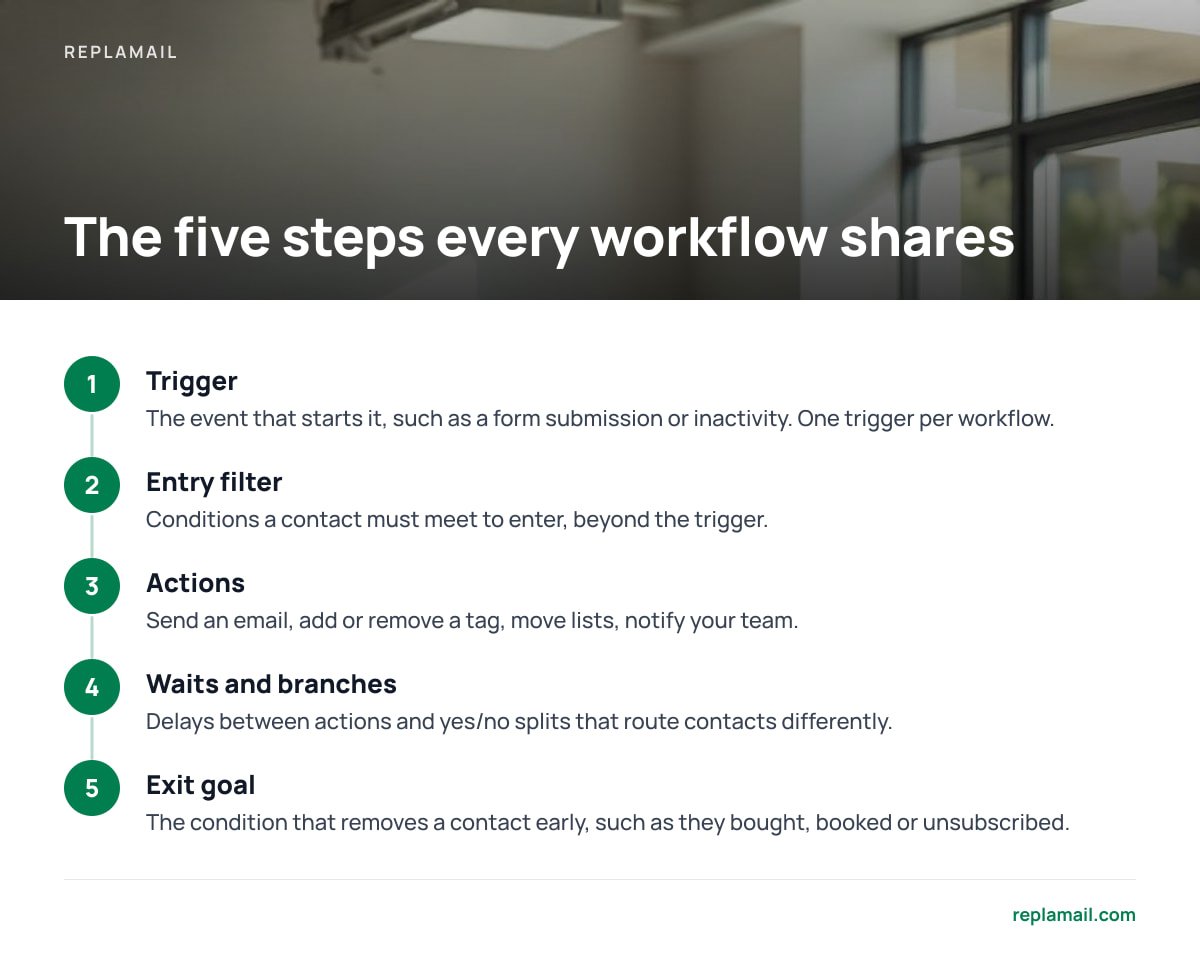
Every marketing automation workflow, whatever tool runs it, breaks down into the same five steps. If you can describe yours in these terms before you open any software, you will build it in a fraction of the time.
- Trigger. The event that starts the workflow: a form submission, a confirmed double opt-in, a tag being added, a date field arriving, or a period of inactivity. Pick one trigger per workflow. Two triggers usually means you have two workflows.
- Entry filter. The conditions a contact must meet to enter, beyond the trigger. "Subscribed via the pricing-page form AND is not already a customer" stops your sales nurture from going to people who already pay you.
- Actions. What the workflow does: send an email, add or remove a tag, move the contact to another list, notify your team.
- Waits and branches. The delays between actions and the yes/no splits that route contacts differently. "Wait 3 days, then: clicked? Go to branch A. Didn't? Go to branch B."
- Exit goal. The condition that removes a contact early, such as they bought, booked or unsubscribed, plus what happens when they reach the natural end.
The fifth step is where most workflows break. A nurture sequence with no "has purchased" exit will keep pitching a product to someone who bought it yesterday. That one fault produces more complaints than any subject line ever will.
A workflow without an exit goal is a timer that keeps emailing people who have already said yes.
Seven Marketing Automation Workflow Examples, in the Order You Should Build Them
Competitor lists offer 11, 25 or more examples. Most businesses never need past the seventh. Here they are, ranked by how soon they pay back the effort of building them, with the trigger and exit for each.
| Workflow | Trigger | Emails and timing | Exit when |
|---|---|---|---|
| Welcome series | Confirms double opt-in | 3–5 emails over 10–14 days | Buys, or series ends |
| Re-engagement | No clicks in 90 days | 2–3 emails over 14 days | Clicks; otherwise suppress |
| Lead nurture | Downloads a guide or is tagged as a lead | 4–6 emails over 3–4 weeks | Books a call or buys |
| Post-purchase | Purchase tag added | 2–3 emails over 2–3 weeks | Repeat purchase, or series ends |
| Event reminder | Registers for webinar or event | 3 emails: confirmation, 24 hours, 1 hour | Event ends |
| Renewal or expiry | Date field approaching | 3 emails at 30, 7 and 1 day | Renews |
| Abandoned cart | Cart event sent from your store | 2–3 emails over 3 days | Completes order |
Abandoned cart sits last, even though it tops most example lists. It only works if your shop platform passes cart events to your email tool reliably. If you don't sell online, or your tools aren't connected, the first six are all you need.
A Workflow Template You Can Copy
Write this out in a document before you build anything:
- Name: Welcome series, main newsletter list
- Trigger: Double opt-in confirmed
- Entry filter: Not tagged "customer"; not in any other active workflow
- Steps: Email 1 immediately → wait 2 days → Email 2 → wait 3 days → branch on click → Email 3a or 3b → wait 5 days → Email 4
- Exit goal: Tagged "customer" at any point → remove and tag "welcome-complete"
- On finish: Add to the regular newsletter segment
If you can't fill in every line, the workflow isn't ready to build.
Why Re-Engagement Uses Clicks, Not Opens
Apple's Mail Privacy Protection preloads email images, which makes many messages register as "opened" whether a person read them or not. A re-engagement workflow triggered by "no opens in 90 days" will therefore miss many of your dead contacts. Trigger on clicks, or on clicks plus site activity, instead.
What Each Workflow Actually Costs to Run: The Send Arithmetic

The cost of an automation is the number of emails it sends multiplied by your price per email. On a sending service like Amazon SES, that price is tiny. Amazon SES pricing lists $0.10 per 1,000 emails à la carte, and new accounts start at $0.16 per 1,000. These figures were current at the time of writing, so check them before you budget.
Take a business with 20,000 contacts and 800 new signups a month:
| Activity | Monthly sends | Cost at $0.10/1,000 | Cost at $0.16/1,000 |
|---|---|---|---|
| 5-email welcome series × 800 signups | 4,000 | $0.40 | $0.64 |
| Weekly newsletter × 20,000 contacts | 80,000 | $8.00 | $12.80 |
| 2-email re-engagement × 1,500 lapsed | 3,000 | $0.30 | $0.48 |
| Total | 87,000 | $8.70 | $13.92 |
Two things stand out. Your automations account for about 8% of your sends; the newsletter is the cost. And the whole month costs less to send than a takeaway lunch.
800 new subscribers through a five-email welcome series is 4,000 sends, or 40 cents on Amazon SES.
The bill that grows is the platform fee, not the sending. On per-contact pricing, every dormant subscriber costs you money every month, whether you email them or not. That makes the re-engagement workflow, with its "otherwise suppress" exit, the one workflow with a direct effect on your bill. For a fuller breakdown of triggers against running costs, see automated email marketing: triggers, rules and the real cost.
Where Workflows Go Wrong, and Why More Workflows Make Results Worse
The obvious advice is to automate everything. The obvious advice is wrong. Each workflow you add makes it more likely that one contact sits in several workflows at once and gets buried.
- Overlapping enrolment. A new customer who joined via a lead magnet can sit in the welcome series, the nurture sequence and the post-purchase flow at the same time. That can mean three emails in one morning.
- Missing purchase exits. Nurture emails that keep selling after the sale feel careless. They also produce the "this is spam" clicks that hurt your deliverability across every workflow.
- Delays measured from the wrong event. "Wait 7 days" after signup is not the same as "wait 7 days" after the last email. If you mix the two, sends bunch together.
- Forgotten workflows. Automations built two years ago still run, still reference discontinued products, and nobody has read them since.
Pro Tip: Add a "currently in a workflow" tag at the entry of every sequence and remove it at every exit. Then make "does not have this tag" part of every other workflow's entry filter. This one tag gives you a crude but effective frequency cap, even in tools that have no frequency cap of their own, and it shows how many contacts are mid-sequence at any moment.
Audit every live workflow once a quarter. Send yourself through each one as a test contact. If you can't explain why an email exists, switch it off.
The Compliance Rules Every Workflow Must Obey

Automation scales your mistakes as fast as it scales your marketing. Three sets of rules matter most for anyone sending internationally.
- Mailbox provider rules. Google's email sender guidelines require bulk senders (those sending close to 5,000 messages a day to Gmail accounts) to authenticate with SPF, DKIM and DMARC. They must also offer one-click unsubscribe, honour unsubscribes within two days, and keep spam rates in Postmaster Tools below 0.10%, never reaching 0.30%.
- One-click unsubscribe. The standard behind it is RFC 8058. It defines the List-Unsubscribe-Post header that lets a mail client unsubscribe someone without opening a web page. Every email a workflow sends needs it, not just your newsletters.
- US law. The FTC's CAN-SPAM compliance guide requires a valid physical postal address in commercial emails and opt-outs honoured within 10 business days. It also requires that subject lines don't mislead.
- UK and EU law. The ICO's guidance on direct marketing and PECR says you generally need consent to send marketing emails to individuals. There is a narrow "soft opt-in" for existing customers buying similar products.
The practical rule is this: every workflow's entry filter must exclude unsubscribed and suppressed contacts. That sounds obvious until you find a workflow triggered by a tag that was applied before the person unsubscribed.
The Top 5 Automation Tools and the "Best CRM" Question, Answered Honestly
People searching this topic ask for the top five automation tools and the best marketing CRM. The honest answer is that "top five" lists mix tools that do different jobs. Compare categories first, then products.
The Five Categories of Automation Tool
- All-in-one marketing suites. CRM, email, landing pages, ads and reporting in one subscription. These are powerful, but pricing climbs steeply with contacts and seats.
- Hosted email marketing platforms. These are built around campaigns and email workflows, usually priced per contact per month.
- Self-hosted email marketing software. The same campaign and workflow features, running on your own server and sending through a service you choose. You pay for sends, not contacts. Our guide to self-hosted email marketing platforms covers the setup trade-offs.
- General integration tools. Visual or code-based tools that pass data between apps. For example, "when a form is submitted, add a row to a spreadsheet and tag the contact". Some can be self-hosted. They connect systems; they are not email platforms.
- CRMs with sequence features. Sales tools that can send one-to-one follow-up sequences from a rep's inbox. They suit sales outreach, not newsletters.
If email is your main channel, pick from category 2 or 3. Add a category 4 tool only when you need to move events between systems your email tool can't connect to directly. Buying a full suite to run four email workflows is like hiring a removals lorry to carry a sofa.
Which Marketing CRM Is Best?
No CRM is objectively the best. The best one is the CRM your team keeps updated, because a CRM with stale data drives workflows that email the wrong people. If nobody in your business phones leads or tracks deals, you probably don't need a CRM to run email workflows at all. Tags, segments and custom fields on your mailing list will do the job.
Beware "AI-powered" workflow builders as well. Many are still rule engines underneath; we unpick which is which in AI marketing automation: what the AI does and what is just rules.
Run Every Workflow You Need Without a Per-Contact Bill
The sums above show where the money goes. Sending your workflows costs pennies; paying monthly for every contact who sits in them costs far more. ReplaMail is self-hosted email marketing software that you buy once for $299, or $899 for the Agency licence. It includes branching automations, a drag-and-drop designer, signup forms with double opt-in, landing pages, and bounce and complaint handling. It sends through your own Amazon SES, SMTP2GO, Resend, SendGrid, Mailgun, Postmark or SMTP account. Brands, contacts and sends are unlimited, so a re-engagement workflow cuts your sending bill, not your licence fee. Updates are included for 12 months, then optional at $49 a year.
The limits are real. ReplaMail has no Shopify or WooCommerce integration, so store-driven abandoned-cart flows aren't built in. It also has no A/B testing, no SMS and no CRM. You'll need a small server, roughly €5–15 a month, and you handle your own backups.
Frequently Asked Questions
What is a marketing automation workflow?
A marketing automation workflow is a sequence of emails and actions that runs automatically when a contact meets a condition, such as signing up or making a purchase. It combines a trigger, entry filters, actions, waits and an exit goal. Unlike a one-off automated email, it adapts its path based on what each contact does.
What are the 5 steps of a workflow?
The five steps are trigger, entry filter, actions, waits and branches, and exit goal. The trigger starts the workflow, the filter decides who qualifies, actions send emails or change tags, and waits and branches control timing and routing. The exit goal removes contacts once they have done what the workflow was built to achieve.
Which marketing automation workflow should I build first?
Build a welcome series first, triggered by a confirmed double opt-in, with three to five emails over about two weeks. Build a re-engagement workflow next, triggered by 90 days without clicks. Together they cover the moment contacts are most interested and clear out the contacts who cost you money and hurt deliverability.
How much does it cost to send automated emails?
On Amazon SES, sending costs $0.10 per 1,000 emails à la carte, with new accounts starting at $0.16 per 1,000 at the time of writing. A business sending 87,000 emails a month would pay roughly $9–14 in sending fees. On most hosted platforms, the bigger cost is the monthly per-contact subscription, not the sends.
Do I need a CRM to run marketing automation workflows?
Not necessarily. If your business doesn't have a sales team tracking deals or calling leads, tags, segments and custom fields on your mailing list can drive every common workflow. A CRM becomes worthwhile when sales activity, not email behaviour, needs to decide what a contact receives.
Should I trigger re-engagement workflows on opens or clicks?
Use clicks. Apple's Mail Privacy Protection preloads email images, so many messages register as opened even when nobody read them. Open-based triggers miss inactive contacts, while clicks show that a real person engaged.
Sources
- Amazon SES Pricing | Amazon Web Services
- Email sender guidelines | Google Gmail Help
- RFC 8058: Signaling One-Click Functionality for List Email Headers | RFC Editor (IETF)
- CAN-SPAM Act: A Compliance Guide for Business | US Federal Trade Commission
- Direct marketing and privacy and electronic communications | Information Commissioner's Office