
An automated marketing workflow is a sequence of emails that sends itself. A trigger starts it, such as a signup, a purchase or a customer going quiet. Rules decide which message each contact gets and when, and an exit condition stops it. Clever branching matters less than whether the workflow knows when to stop. Most workflows that irritate subscribers keep sending after the reason for sending has gone.
TL;DR:
- Every automated marketing workflow has three parts: a trigger, rules and an exit. The exit is the one most people skip, and skipping it causes most complaints.
- Build a welcome series and a sunset workflow first. One makes money and the other protects your deliverability.
- Branch on clicks, not opens. Apple's Mail Privacy Protection has made open data unreliable since 2021.
- Google tells bulk senders to keep spam complaints below 0.1% and never reach 0.3%. Unattended automations are the usual way people cross that line.
- Workflows add sends, not contacts. On a self-hosted setup using Amazon SES, 80,000 automated emails cost about $8 at the published rate.
Table of Contents
- What an Automated Marketing Workflow Is Made Of: Trigger, Rules, Exit
- Five Workflows Worth Building First, Ranked by Payback
- How to Build a Workflow That Knows When to Stop
- The Rules Your Workflow Has to Obey: Consent, Unsubscribes and Sender Limits
- What an Automated Marketing Workflow Costs to Run: Contacts vs Sends
- Where Automated Workflows Fail, and the Monthly Check That Catches It
- Run Every Workflow You Need Without Paying Per Contact
- Frequently Asked Questions
- Sources
What an Automated Marketing Workflow Is Made Of: Trigger, Rules, Exit
Every automated marketing workflow has the same three parts, whether your software draws it as a flowchart or a list. If you can't name all three for a workflow you're running, it isn't finished.
- The trigger. This is the event that puts a contact into the workflow. It might be a confirmed signup, a form submission on a landing page, a tag being added, or a date passing with no activity. A good trigger is one event with one meaning. "Joined the list" is a good trigger. "Joined the list or bought something or clicked a link" is three workflows wearing one coat.
- The rules. These are the delays, conditions and branches that decide what each contact receives. "Wait two days, then check whether they've clicked; if yes, send email B; if no, send email C." Rules are where most of the design effort goes, and where most of the over-engineering happens.
- The exit. This is the condition that removes a contact before the sequence runs out. Typical exits are "made a purchase", "booked a call" or "unsubscribed from anything". Without one, a customer who bought on day two still gets your "still thinking about it?" email on day six.
The exit is the part most tools leave until last and most marketers forget. A workflow without an exit isn't automation. It's a scheduled broadcast that ignores what your customer just did. We cover exit design in more depth in how to build workflows that know when to stop.
Five Workflows Worth Building First, Ranked by Payback
You don't need twenty automations. Most small businesses get the bulk of the value from four or five, built well. This is the order I'd build them in.
1. Welcome series
The trigger is a confirmed signup, after double opt-in. Send three or four emails over about ten days: what the reader signed up for, who you are, your most useful content or best-selling product, then a clear offer. New subscribers are more engaged in their first week than they'll ever be again, so this is the workflow that pays back fastest. The exit is a purchase, or the end of the sequence.
2. Post-purchase or onboarding
The trigger is a first order or a new account. This workflow is about reducing refunds and support tickets, not selling. Cover how to use the product, what to expect next and where to get help. The exit is a second purchase, or 30 days passing.
3. Lapsed-customer win-back
The trigger is no purchase within a set window. Set that window to roughly one and a half to two times your typical repurchase cycle, not an arbitrary 90 days. If customers usually reorder every 40 days, start the win-back at around 60 to 80. Send two or three emails at most. The exit is a purchase. If there's no purchase, the contact moves to the sunset workflow.
4. Lead nurture for service businesses
The trigger is a download or enquiry from a landing page form. Send proof first: a case study, a worked example, real numbers. The ask comes later. The exit is a booked call, and this exit matters more here than anywhere else. Nothing undermines a consultancy faster than chasing someone who already said yes.
5. Sunset and list hygiene
The trigger is no clicks for 90 to 180 days. Send one "do you still want these?" email and wait a week. Anyone who doesn't click gets suppressed. This workflow makes no money directly, but it keeps your complaint rate and bounce rate down, and that keeps every other workflow landing in the inbox.
Cart abandonment isn't on this list, even though it's often the first workflow vendors recommend. It needs a live data feed from your shop into your email system. If you have that integration, it's worth building. If you don't, building the integration is a separate project, so don't let it hold up the five above.
How to Build a Workflow That Knows When to Stop

The build order matters more than the tool. Do it in this sequence and most problems never appear.
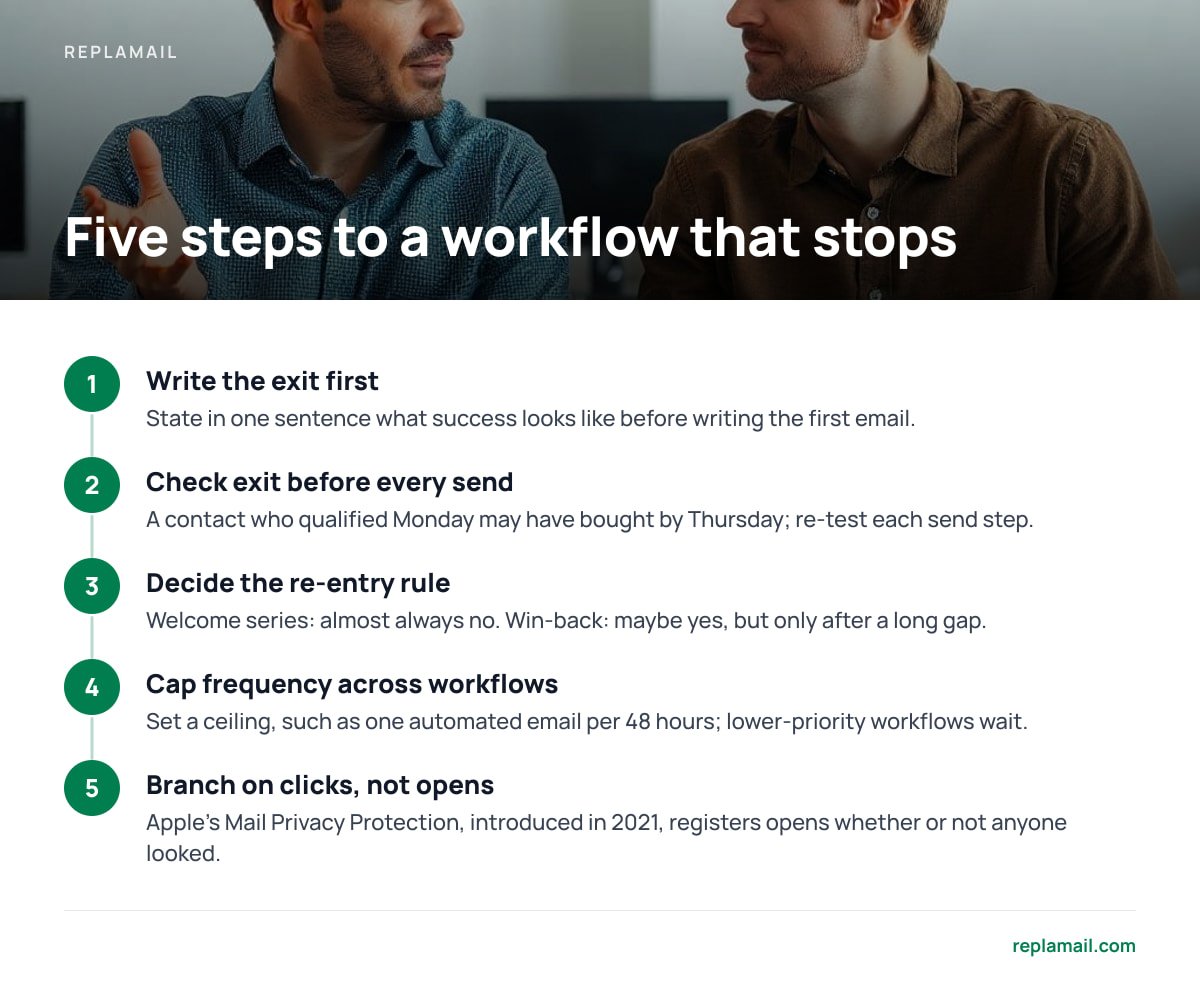
- Write the exit condition before the first email. If you can't state in one sentence what success looks like for this workflow, you can't tell the software when to stop.
- Check the exit before every send, not just at entry. A contact who qualified on Monday may have bought by Thursday. Each send step should re-test the condition.
- Decide the re-entry rule. Can someone go through this workflow twice? For a welcome series the answer is almost always no. For a win-back it may be yes, but only after a long gap.
- Cap frequency across workflows. A new customer can easily qualify for the welcome series, the post-purchase sequence and your weekly newsletter in the same week. Set a ceiling, such as no more than one automated email per 48 hours, and let lower-priority workflows wait.
- Branch on clicks, not opens. Apple's Mail Privacy Protection, introduced in 2021, preloads email images for Apple Mail users. That registers an "open" whether or not a person ever looked at the message. An "if opened" branch now sorts a large share of your list on noise.
Pro Tip: Watch out for re-entry through resubscribing. Someone unsubscribes, comes back six months later through a different signup form, and your welcome series treats them as a stranger. They get "nice to meet you" emails from a brand they've bought from three times. Before building a welcome series, add a condition that skips contacts with any purchase or previous campaign history. Send those contacts a short "welcome back" email instead.
For the wider picture of how triggers and rules fit into a full programme, see our guide to automated email marketing triggers and rules.
The Rules Your Workflow Has to Obey: Consent, Unsubscribes and Sender Limits
Automations break compliance rules more often than one-off campaigns do. The reason is simple: nobody looks at them. You might have built a workflow eight months ago, and it has been sending ever since against whatever consent rules applied when you set it up.
- Consent depends on where your contacts are. In the UK, the Information Commissioner's Office guidance on PECR says marketing emails to individuals need consent. The exception is the "soft opt-in": existing customers, similar products, and a chance to refuse given at the point of collection and in every message. Your win-back workflow is relying on that soft opt-in. Make sure the opt-out was actually offered when you collected the address.
- Unsubscribes must apply everywhere, quickly. The FTC's CAN-SPAM compliance guide requires US senders to honour opt-outs within 10 business days. Google's email sender guidelines go further for bulk senders, expecting unsubscribes to be processed within two days. An unsubscribe from your newsletter has to pull that contact out of every active workflow, not just the list it came from.
- One-click unsubscribe is now expected. Google requires bulk senders to support one-click unsubscribe as defined in RFC 8058. That lets the mail client show its own unsubscribe button. Check that your automated emails carry the header, not just your broadcasts.
- Authentication applies to automated mail too. SPF, DKIM and DMARC have to cover every domain your workflows send from. That includes the client domains if you're an agency running several brands.
Google tells bulk senders to keep their reported spam rate below 0.1% and never let it reach 0.3%. One unattended workflow mailing people who've forgotten you can push you past that on its own.
What an Automated Marketing Workflow Costs to Run: Contacts vs Sends

Pricing models matter more for automation than for newsletters, because workflows change your numbers in a lopsided way. A workflow adds sends. It rarely adds contacts. Your total contact count stays roughly flat, while the emails per contact per month go up.
That's a problem on platforms that charge by contact tier. You pay for every address on your list each month, including the large share sitting quietly between workflows. Those contacts receive nothing for months, but they still count towards your tier. Hosted pricing changes often, so check each provider's current pricing page rather than trusting a figure in an old comparison.
On a self-hosted setup you pay for sending, not storing. Here is a worked example for 20,000 contacts each receiving an average of four automated emails a month, which comes to 80,000 sends:
| Cost item | Monthly | Notes |
|---|---|---|
| Sending via Amazon SES | about $8 | At the published $0.10 per 1,000 rate; new accounts can start at $0.16, which would make it $12.80 |
| Small server | about €5–15 | Enough for the application and database at this size |
| Software licence | $0 ongoing | One-time purchase; optional yearly updates after the first year |
| Your time | not zero | Server updates, backups and monitoring are your job |
The sending rate comes from Amazon SES pricing. Double the automations and the sending line goes from $8 to $16. Double the contacts without adding sends and almost nothing changes.
80,000 automated emails a month through Amazon SES costs $8 at the published $0.10 per 1,000 rate.
That last row in the table is the real trade-off. You swap a recurring bill for some server responsibility. We break that down properly in our look at self-hosted email marketing platform costs and trade-offs, and in what email marketing and marketing automation each cost you.
Where Automated Workflows Fail, and the Monthly Check That Catches It

Workflows rarely fail loudly. They keep sending something slightly wrong to a few hundred people a week until someone replies to complain.
- Broken triggers. Someone redesigns a signup form and the tag it applied no longer exists. The welcome series silently stops getting new entrants. You only notice when someone asks why new subscribers never hear from you.
- Stale content. The discount code in email three expired in March, and the workflow is still sending it in September. Every expired offer is a small, avoidable complaint.
- Overlapping workflows. Two automations both target "customers with no purchase in 60 days", built by different people at different times. Each contact gets two win-back sequences at once.
- Open-based branching. Covered above, but worth repeating. If a branch depends on opens, assume it's routing at least part of your list at random.
- No owner. If nobody's name is attached to a workflow, nobody checks it.
The fix takes 20 minutes a month. Subscribe a test address to each workflow, let it run, and read every email as it arrives. At the same time, check three numbers for each workflow: entrants this month, click rate per email, and unsubscribes per email. A drop to zero entrants means a broken trigger. A spike in unsubscribes on one email means that email needs rewriting or removing.
Run Every Workflow You Need Without Paying Per Contact
ReplaMail is self-hosted email marketing software for exactly this setup. You get branching automations, double opt-in, signup forms, landing pages, and bounce and complaint handling, with unlimited contacts, sends and brands from one install. It costs $299 once for a single company, or $899 for the Agency licence. That includes 12 months of updates, then an optional $49 a year. It sends through your own Amazon SES, SMTP2GO, Resend, SendGrid, Mailgun, Postmark or SMTP account. A sunset workflow that tidies 5,000 dormant contacts saves you deliverability, not a pricing tier.
The honest limits: it needs a small server, and you're responsible for backing it up. It has no SMS, no A/B testing, and no Shopify or WooCommerce integration. Cart-abandonment triggers would therefore need your own connection. Before you buy, check the feature list against the workflows you actually plan to run, and do the same with ours.
Frequently Asked Questions
What is an automated marketing workflow?
An automated marketing workflow is a sequence of marketing emails that runs on its own once a trigger fires, such as a signup, purchase or period of inactivity. Rules decide what each contact receives and when, and an exit condition removes contacts once the workflow's goal is met.
Which automated workflow should I build first?
Build a welcome series first, because new subscribers are at their most engaged in the first week after signing up. Build a sunset workflow second, because suppressing contacts who no longer click protects the deliverability of every other email you send.
Should workflow branches use opens or clicks?
Use clicks. Apple's Mail Privacy Protection, introduced in 2021, preloads images for Apple Mail users and records an open whether or not the person read the email, so open-based branches sort a large part of your list on unreliable data.
Do unsubscribes have to remove someone from all workflows?
Yes. The FTC's CAN-SPAM guidance requires US senders to honour opt-outs within 10 business days, and Google expects bulk senders to process unsubscribes within two days. An unsubscribe from one list should stop every active marketing workflow for that contact.
How much does it cost to send automated emails yourself?
Through Amazon SES, sending is priced at $0.10 per 1,000 emails at the published rate, though new accounts can start at $0.16. Sending 80,000 automated emails a month costs about $8, plus a small server of roughly €5–15 a month to run self-hosted software.
How many emails should a workflow contain?
Most workflows work best with two to four emails. A welcome series of three or four over about ten days and a win-back of two or three is usually enough, and longer sequences tend to raise unsubscribes faster than they raise sales.
Sources
- Direct marketing and privacy and electronic communications | Information Commissioner's Office
- CAN-SPAM Act: A Compliance Guide for Business | Federal Trade Commission
- Email sender guidelines | Google Gmail Help
- Amazon SES pricing | Amazon Web Services
- RFC 8058: Signaling One-Click Functionality for List Email Headers | RFC Editor